By Vincent Howard, CPA | Managing Partner, Howard, Howard and Hodges | Skillability for Accounting Firms
Let me tell you what most platform comparison articles won’t. They’re written by people who have reviewed platforms. I’ve needed them.
There’s a difference — and that difference is about $9,500 per hire, a decade of painful lessons, and eventually building my own solution because nothing adequate existed. I’ve been in public accounting since 1990. I founded my own firm in 1993, merged it in 2001 to form Howard, Howard and Hodges, and grew it from three people to 50 staff across four locations. I’ve hired, trained, mis-hired, carried too long, and eventually let go of accounting staff at every level — entry-level bookkeepers through senior tax managers.
In 2020, I built what eventually became Skillability — a purpose-built onboarding and training platform for accounting firms — because after 30 years in the profession I still couldn’t find anything that solved the actual problem. Not the CPE compliance problem. Not the credential maintenance problem. The operational onboarding problem: taking a new hire from day one to billable-ready, inside the actual software your firm uses, in under 30 days, without consuming your senior staff’s capacity to do it.
This article is the assessment I wish I’d had before I spent years finding this out the hard way.
First: The Question Most Firm Owners Are Asking Wrong
When a firm owner searches “best online platforms for accounting training,” they’re usually trying to solve one of two very different problems. And conflating them is how they end up buying the wrong solution.
- Problem A: CPE Compliance: Their licensed staff need continuing education hours to maintain credentials. They need a cost-effective, convenient way to accumulate those hours annually.
- Problem B: Operational Onboarding: They’ve made a new hire — or they’re about to — and they need that person to become a productive, billable, competent staff member as quickly as possible, with minimal drain on their senior team’s time and attention.
These are not the same problem. They don’t have the same solution. And the majority of platforms on the market were built for Problem A while most firm owners are bleeding money from Problem B. Keep that distinction in mind as we go through the landscape. I’ll tell you clearly which problem each platform actually solves — and which type of firm should prioritize it.
The $9,500 Number You Need to See Before Anything Else
Before evaluating any platform, every firm owner needs to do one calculation they’ve almost certainly been avoiding. Manual onboarding — the traditional “shadowing method” where a new hire follows a senior staff member, asks questions, and slowly inherits tasks — is an incredibly expensive hidden drain. When you break down the distributed costs across your P&L, the math is staggering:
The True Cost of Manual Shadowing
| Expense Type | Operational Impact | Hidden Cost Drag |
|---|---|---|
| Vaporized Senior Capacity | Lost billable senior partner and manager capacity spent on manual training. | $8,000 |
| Compliance Error Tax | Write-offs and technical errors from work that went out the door before it was ready. | $1,500 |
| TOTAL DRAINDOWN | The actual cost your firm absorbs for every single un-automated hire you make. | $9,500 per hire |
If you make four hires a year, that’s $38,000 annually disappearing into an onboarding process you’ve probably never measured. I let that cost run in my own firm for over a decade before I made it visible enough to do something about it. The investment in structured training infrastructure is not the expense. The absence of it is the expense. You’re just paying it in a way that feels normal because you’ve always paid it. Now, with that math in mind — here’s the honest landscape.
—
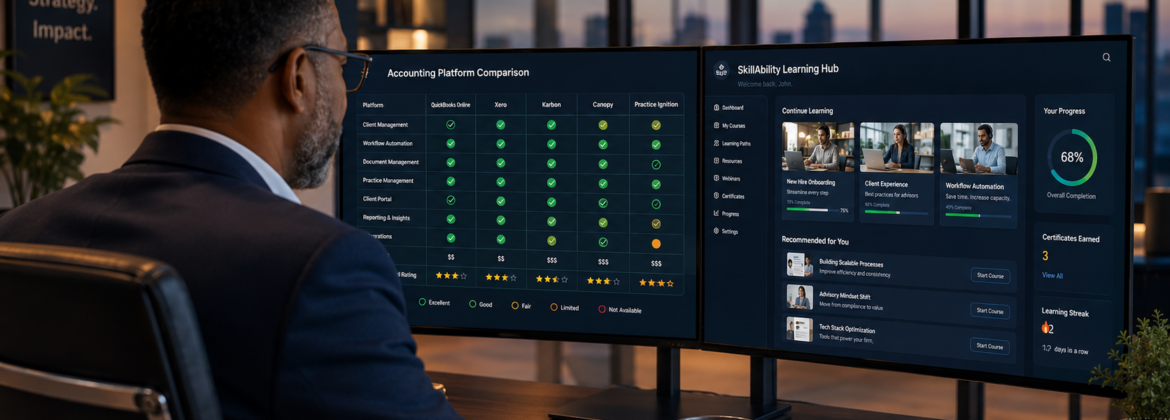
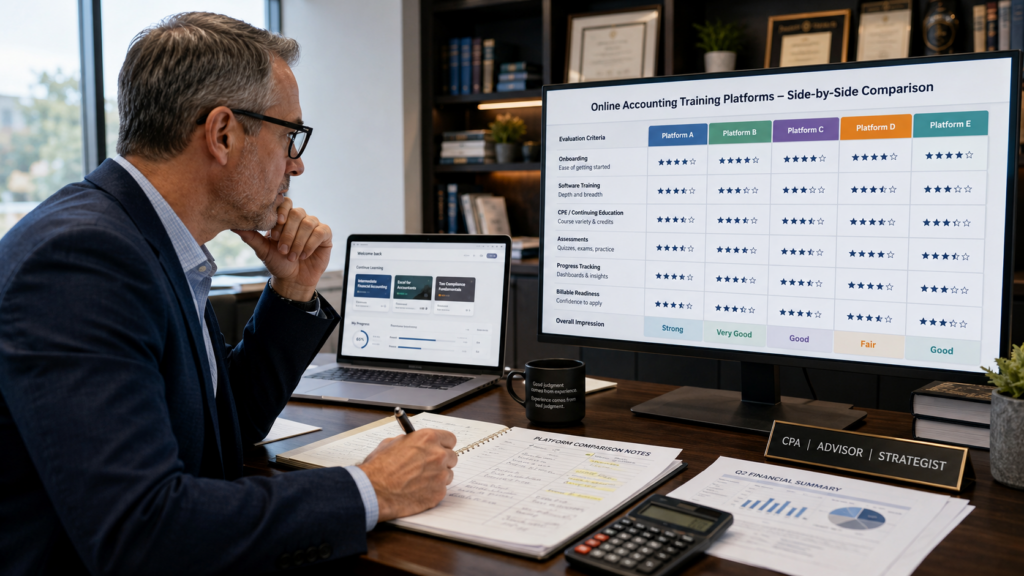
The Platforms: What They Do, Where They Fall Short, and Who Should Use Them
Becker Professional Education
What It Does Well: Becker is the legitimate gold standard for CPA exam preparation. The curriculum is rigorous, the pass rates are strong, and the structured approach to exam content is genuinely well-built. If you are investing in a staff member pursuing CPA licensure, Becker is worth serious consideration.
Where It Falls Short: Zero operational application. Becker teaches accounting theory and exam strategy. It does not teach your new hire how to set up a client in Accounting CS, navigate UltraTax folder by folder, or process a monthly sales tax return inside QuickBooks Online. A Becker-certified candidate sitting down at your firm’s software on day one is starting from scratch operationally. The knowledge is real. The application to your workflow is zero.
Who Should Use It: Firms investing in staff pursuing CPA licensure. Use it alongside operational onboarding — not instead of it.
Bottom Line: Becker gets your staff credentialed. It does not get them billable.
Surgent CPE
What It Does Well: Strong continuing education content, particularly on the tax side. Good breadth of topics, reasonably current on tax law changes, and their adaptive learning features for exam prep are genuinely useful. Professionally produced material from people who know the subject matter.
Where It Falls Short: Same fundamental limitation as Becker — it’s CPE infrastructure, not operational onboarding infrastructure. Surgent will help your existing competent staff maintain their license and stay current on tax law changes. It will not walk a new hire through processing a client’s Q4 payroll reports in your actual software.
Who Should Use It: Firms with established CPE compliance needs for already-proficient staff. A solid choice for license maintenance. The wrong tool for onboarding.
Thomson Reuters Checkpoint Learning
What It Does Well: Checkpoint Learning is closer to our world because Thomson Reuters also makes UltraTax and Accounting CS — platforms we train inside at Skillability. The tax content is solid and the integration with the TR ecosystem has natural appeal for firms already using those tools.
Where It Falls Short: The training content remains primarily knowledge-based rather than execution-based. It explains tax concepts more than it walks staff through processing returns efficiently inside the software. When I evaluated their UltraTax-specific content, it wasn’t at the granular workflow level that actually changes how someone works — left to right, top to bottom, folder by folder, tab by tab, eliminating wasted keystrokes. Knowing what a 754 election is and knowing exactly where to enter it in UltraTax without bouncing around are different competencies. Checkpoint addresses the former; the latter requires something different.
Who Should Use It: TR-ecosystem firms supplementing existing onboarding with tax knowledge content and CPE. A legitimate complement — not a replacement for operational training.
LinkedIn Learning / Coursera / Udemy
What It Does Well: If you need someone to improve their Excel skills, business writing, or general professional development, these platforms work adequately. Udemy in particular has some QuickBooks content from third-party instructors that covers basic navigation. They offer broad content libraries and a low cost per seat.
Where It Falls Short: Everything that matters for accounting firm onboarding. The content is generic — not firm-specific, not workflow-specific, not built around the accounting professional’s use case. The QuickBooks content on Udemy was built for small business owners managing their own books. That is a completely different use case than a bookkeeper managing 40 client files simultaneously in a multi-user firm environment. The menus might look the same; the workflow is entirely different. More critically, there is no accountability infrastructure. An employee can click through a LinkedIn Learning course on QuickBooks while checking their phone and receive the same completion certificate as someone who absorbed every minute. There are no pass/fail gates. There is no work product validation. Completion means nothing if competency is never verified.
Who Should Use Them: For accounting firm operational onboarding — none of them. For supplemental soft skills or general professional development — fine as a low-cost option. Just don’t confuse activity with capability.
The False Economy: A Udemy course costs $15. That looks attractive until you place it against $9,500 in onboarding cost per hire. The cheapest platform is not the least expensive option when it fails to actually solve the problem.
CPAacademy / MasterCPE / CPE Think
What It Does Well: Free or very low-cost CPE credits. CPAacademy in particular has built a large library of webinar-based content that satisfies license requirements at minimal cost. For firms managing CPE compliance across a team on a tight budget, these platforms are genuinely useful for that specific function.
Where It Falls Short: These are CPE compliance tools, full stop. The learning is passive — watch a webinar, answer a few questions, receive your credit. There is no execution component, no software integration, no pass/fail gate, and no connection to operational capability. A staff member can accumulate 40 CPE hours on these platforms and still not know how to properly complete a FinCEN 114 inside UltraTax.
Who Should Use Them: Any firm needing cost-effective CPE compliance management for existing licensed staff. That’s a real and legitimate need. Just don’t mistake CPE compliance for staff competency. Conflating them is one of the most expensive assumptions in this profession.
AICPA Learning Products
What It Does Well: Authoritative content, particularly for technical accounting standards, audit methodology, and ethics requirements. The AICPA brand carries genuine credibility and their technical content reflects current standard-setting positions accurately.
Where It Falls Short: Expensive, heavily oriented toward audit and attest functions, and largely disconnected from the day-to-day operational workflows of a small to mid-sized tax and accounting firm. If your practice is primarily small business accounting, tax planning, bookkeeping, and payroll — which describes the majority of firms in our market — AICPA learning content addresses perhaps 20% of what your staff actually does daily.
Who Should Use It: Audit-heavy firms, firms with significant attest work, or firms investing in specialized credentials like the PFS or CITP. For the typical small to mid-sized CPA firm focused on business tax and accounting services, there are higher-ROI options.
Intuit Training / QuickBooks ProAdvisor & Xero Certifications
What It Does Well: Vendor-produced certifications serve a legitimate purpose. QuickBooks ProAdvisor certification demonstrates a baseline level of software proficiency and carries some marketing value for firms positioning to small business clients. The content is maintained by Intuit and updated when the software changes.
Where It Falls Short: They teach the software from the vendor’s perspective, oriented toward the small business owner user — not the accounting professional’s multi-client workflow. ProAdvisor certification tells your staff member where every menu item lives. It does not teach them how to efficiently process a client’s monthly financials, set up recurring transactions correctly, prepare a sales tax return, or handle year-end 1099 processing across a portfolio of clients. There’s also a real operational risk: Intuit changes their software frequently and sometimes dramatically. The new QBO layout rollout is a perfect example. Firms relying on Intuit’s own training found themselves with partially outdated material overnight. When we updated our QBO content at Skillability, we specifically included a module on how to opt out of the new layout so trainees could navigate whichever version they encountered.
Who Should Use It: Every firm using QBO or Xero should complete vendor certifications as a baseline orientation. Treat them as the floor, not the ceiling. For a very small firm with one or two staff members needing basic software familiarity, vendor certifications may be sufficient. The moment you’re onboarding multiple hires across an office or multiple locations, you need infrastructure these certifications cannot provide.
Internal LMS Platforms (TalentLMS, LearnUpon, Moodle)
What It Does Well: Solid LMS infrastructure. Moodle is open-source and highly customizable, while TalentLMS and LearnUpon are clean, modern, and reasonably user-friendly for administrators. If you need to build and deliver custom training content at scale, these platforms provide the delivery infrastructure.
Where It Falls Short: They are empty containers. They provide the pipes without the content, the platform without the curriculum. A firm that purchases TalentLMS has just signed up for a multi-year curriculum development project — because now someone has to build every module, every assessment, every workflow, and every piece of sample data from scratch. I know exactly what that project entails because I essentially undertook it myself beginning in 2020. I’m a CPA with 35 years of practice experience, deep knowledge of every software platform we train on, and a clear vision of what competent accounting work looks like. It still took years to build what became Skillability into something I was confident putting in front of other firms. A typical firm owner does not have the time, the instructional design expertise, or the curriculum development bandwidth to build that content while simultaneously running a practice. The container without the content solves nothing.
Who Should Use Them: Large regional or national firms with dedicated L&D staff and the resources to build and maintain proprietary content. For a 5 to 50 person firm, the build cost is prohibitive and the timeline is incompatible with your actual hiring schedule.
—
What Actually Works: The Five Criteria That Move the Needle
After 35 years in this profession and five years building and running a purpose-built accounting training platform, here is what I’ve learned actually changes outcomes in real firms — not what vendors claim matters, but what impacts real workloads.
1. Training Inside Real Software — Not Simulations
This is the hill I will stand on every time. If a platform trains your staff inside a simulated environment, a sandbox, or a fictional accounting system — you’ve wasted your investment. The moment that employee sits down in front of the actual software in a live client environment, the muscle memory they built means nothing because the interface, the folder structure, the workflow sequence — none of it matches what they practiced. What produces a billable-ready employee is training that happens inside the actual software tools the firm already owns, using real sample client data, navigating real menus, making real entries, and reconciling real ledgers. In UltraTax specifically: we train left to right, top to bottom. Start at the top folder, work across the tabs, move down. No bouncing back and forth. No wasted keystrokes. That specificity only exists when you’re training inside the real tool.
2. Gated Pass/Fail Assessments
Most training programs are completion-based. The employee watches the video, clicks through the content, checks the box, and moves on. Nobody verifies whether they actually learned anything. That is not training; that is the appearance of training. What works is a gated milestone system where the learner cannot advance until they demonstrate competency on what they just processed. In our platform, that means an 80% passing threshold — and the questions are built around the actual work product the trainee should have produced. If they processed January’s financials and the sales tax return correctly, they answer the questions correctly. If they didn’t, they don’t. The system knows before the manager does. This system also functions as an objective mis-hire detection mechanism. When your experienced staff complete Module 101 in four hours and a new hire is at 16 hours with incomplete work, the data makes the case for you. That’s exactly what happened at one of our member firms: the new hire resigned on day six when the objective performance data became undeniable. The firm identified a mis-hire in less than a week instead of three months.
3. Pre-Employment Testing Before the Offer Letter
Every firm I’ve worked with has paid what I call the resume embellishment tax multiple times. A candidate presents well, speaks confidently about their experience, claims software proficiency — and then cannot execute when they sit down at a real client file. By the time you confirm the mis-hire, you’ve absorbed months of salary, benefits, and senior staff time. A legitimate pre-employment testing engine that verifies actual accounting logic and software execution before an offer letter is signed eliminates that tax almost entirely. One practical note: pre-employment tests need to be designed to resist AI-assisted cheating. We’re actively evaluating single-login, single-monitor proctoring technology for exactly this reason. A candidate who pastes assessment questions into an AI tool tells you nothing about their actual capability.
4. Role-Specific Learning Paths
A new hire bookkeeper and a tax manager who has never done bookkeeping are not the same learner. Treating them identically produces mediocrity in both directions. Our platform data revealed that tax managers who’ve never come up through bookkeeping take up to 20 hours to complete Module 101 — a module experienced bookkeepers complete in three to four hours. The content wasn’t over their heads; the workflow was fundamentally foreign to how they process information. Tax preparers think backward from the return. Bookkeepers think forward through transactions. Those are different cognitive orientations and they don’t transfer automatically.
5. AI Upskilling
I’ll be direct: data-entry bookkeepers face displacement within three to five years. Auto-feeds, bank rules, and machine learning categorization are already handling what used to require manual processing. A training platform that only produces competent data processors is building you a workforce with a short shelf life. The question your training infrastructure needs to answer is this: how do you take your existing bookkeeping staff and move them up the value chain before AI makes their current role obsolete? That means developing financial statement analysis skills, client advisory capability, KPI identification, tax planning awareness, and proactive engagement skills — not just transaction processing.
—
The Mistake I Made for Over a Decade in My Own Firm
For over a decade at Howard, Howard and Hodges, our onboarding process was the shadowing method. New hire sits with a senior staff member. Watches. Asks questions. Slowly inherits tasks. Senior person reviews everything until they feel comfortable handing off independence. Sixty to ninety days. Enormous ongoing attention from people I was paying premium rates.
I knew it was inefficient. I recognized the patterns — the mis-hire carried too long, the senior manager stretched impossibly thin during tax season, the new staff member asking questions that interrupted billable production for the fourth time that week. What I never did was make the cost explicit. I treated the inefficiency as an ambient cost of doing business — something you managed around rather than something you solved.
The question that finally broke the pattern was one I somehow hadn’t asked directly in thirty years of running a firm: What would it cost to build something that makes this problem go away entirely? Not cheaper. Not better. Gone. That question became My Task LMS. That became Skillability. And the honest answer to what it taught me is this: the cost of a problem you’ve normalized is almost always higher than the cost of the solution you’ve been avoiding. I avoided building the infrastructure because it felt like a large investment. What I failed to account for was that I was already spending far more than that investment every year; I just wasn’t writing it on a single line of the P&L where I could see it.
The One Question That Should End Every Platform Evaluation
Before signing up for any accounting training platform, ask one question: Does your training happen inside the actual software my firm uses — or inside something that approximates it?
If the answer is anything other than “inside your actual software,” the conversation is over. Everything else — assessments, learning paths, reporting dashboards, AI integration — can be evaluated from there. But that foundational question separates training infrastructure from training theater.
—
Where Skillability Fits — And What It’s Actually Designed to Do
Skillability is not a CPE platform, a credential maintenance tool, or a general business training library. It is a purpose-built talent production line for accounting firms — designed to bring a new hire from day one to billable-ready in under 30 days with near-zero manager oversight. It consists of three components under a single flat subscription:
- The Pre-Employment Testing Engine: Verifies actual accounting logic and entry capability before an offer letter is signed. No per-test fees. Filters out resume embellishers before they cost you anything.
- Track One — Automated Onboarding: Walks trainees through step-by-step video instruction inside your firm’s actual software — QuickBooks Online, Xero, UltraTax, CCH Axcess, Accounting CS, Drake, Lacerte — using real sample client data. Features gated pass/fail milestones where trainees cannot advance until their ledger reconciliations balance. By completion, a bookkeeper has processed 12 months of financials, 12 sales tax returns, 12 bank reconciliations, four quarterly payroll reports, W-2s, W-3s, 1099s, personal use of company car calculations, and 2% S-corp health insurance addbacks.
- Track Two — MAPS Tax Advisor Catalyst: Upgrades existing compliance staff into proactive tax advisors who can identify planning opportunities and pitch monthly retainer engagements. Included at no extra cost. Designed to future-proof your team against AI displacement of the compliance function.
The Investment: $1,000 setup fee and $675 per month for five active platform seats.
The Protection: A 45-day out-of-pocket performance guarantee. If a new hire completes the modules but isn’t independently executing client-ready deliverables within 45 days, Skillability refunds 100% of the setup fee and covers the monthly subscription cost directly. You either get a fully capable staff member in under 30 days — or you pay nothing.
—
The Honest Summary
The market is full of platforms that solve CPE compliance. Most of them do that job reasonably well. Use them for that purpose. There is almost nothing purpose-built for the job that actually costs firm owners real money: operational onboarding — taking a new hire from day one to billable-ready inside your specific software environment, with accountability infrastructure that tells you whether they’re competent before they touch a live client file. That gap is why Skillability exists. Not because the other platforms are bad at what they do. They’re appropriate for the problems they were designed to solve. They’re just not designed for the problem that generates $9,500 in cost per hire when it goes wrong.
The sentence I want every firm owner to carry out of this article: You are not losing to better competitors. You are losing to your own onboarding system.
That is fixable. The infrastructure exists. The only question is how long you’re willing to pay for the problem before you invest in the solution.
Ready to see what structured onboarding actually looks like inside your firm’s software?
Book a 10-minute structural alignment review at calendly.com/skillabilitydemo.
In 10 minutes you’ll leave with a clear dollar figure on what your current onboarding method is costing you, an honest assessment of whether your training approach would survive a three-hire month, and a direct comparison of what your current system produces versus what a structured talent production line produces at day 30. No sales pressure. Just math and infrastructure.
To your firm’s capacity,
Vincent Howard, CPA
Managing Partner, Howard, Howard and Hodges
Skillability for Accounting Firms
© 2026 Skillability for Accounting Firms. 45-Day Out-of-Pocket Performance Guarantee applies to qualifying onboarding engagements. Contact us for full terms.